Container Scanning
Nulink allows you to scan Docker container images for known vulnerabilities without requiring any cloud or registry integrations.
This makes container scanning a quick and lightweight way to identify risks in containerized workloads.
Overview
Container scans analyze Docker images to identify:
- Known vulnerabilities (primarily CVEs)
- Insecure or outdated packages
- High-risk dependencies within the image
Scans are performed using publicly accessible container images and do not require access to your runtime environment.
Prerequisites
- An active Nulink account
- A publicly accessible Docker container image (e.g. from Docker Hub or another public registry)
No cloud integrations or credentials are required.
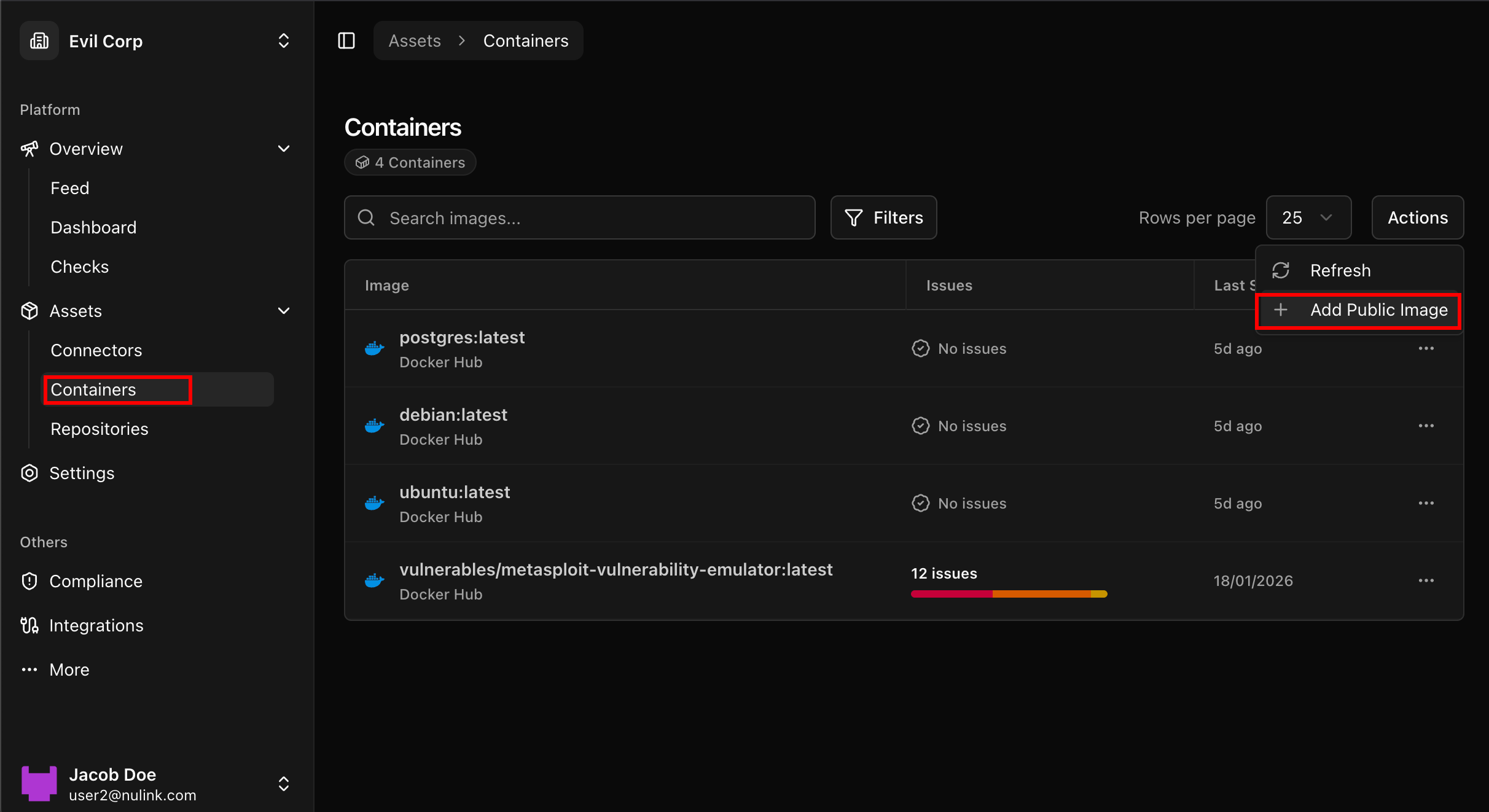
Step 1: Navigate to Containers
- In the Nulink platform, go to the Assets section
- Select Containers
This view displays previously scanned container images and their results.
📸 Assets → Containers view
Step 2: Start a Container Scan
To scan a new container image:
- Click the Actions button
- Select the option to Scan Container Image
- Enter the full name of a public Docker image
- Example:
nginx:latest
- Example:
📸 Container scan action modal
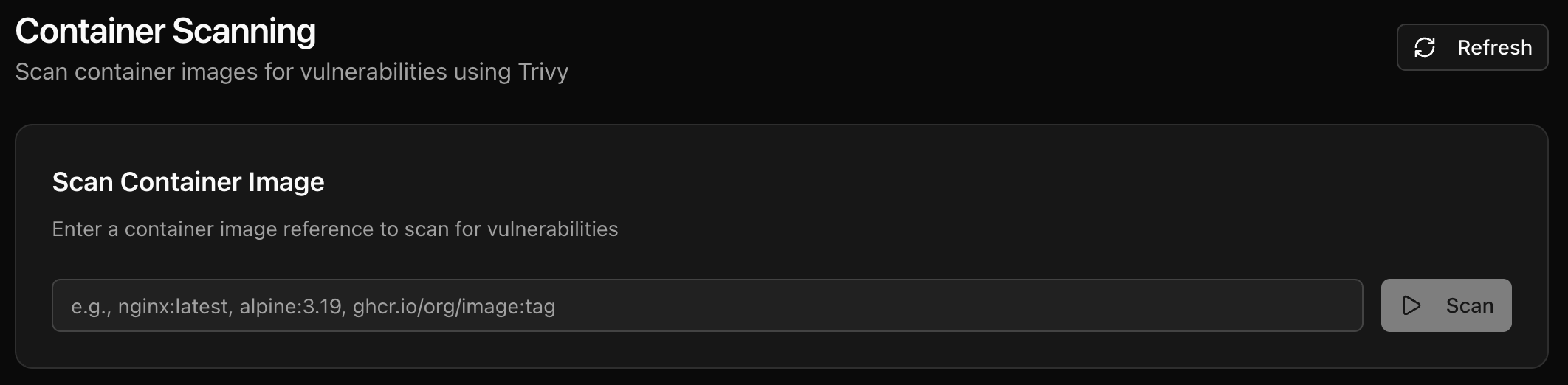
Once submitted, the scan will begin automatically.
Step 3: Review Scan Results
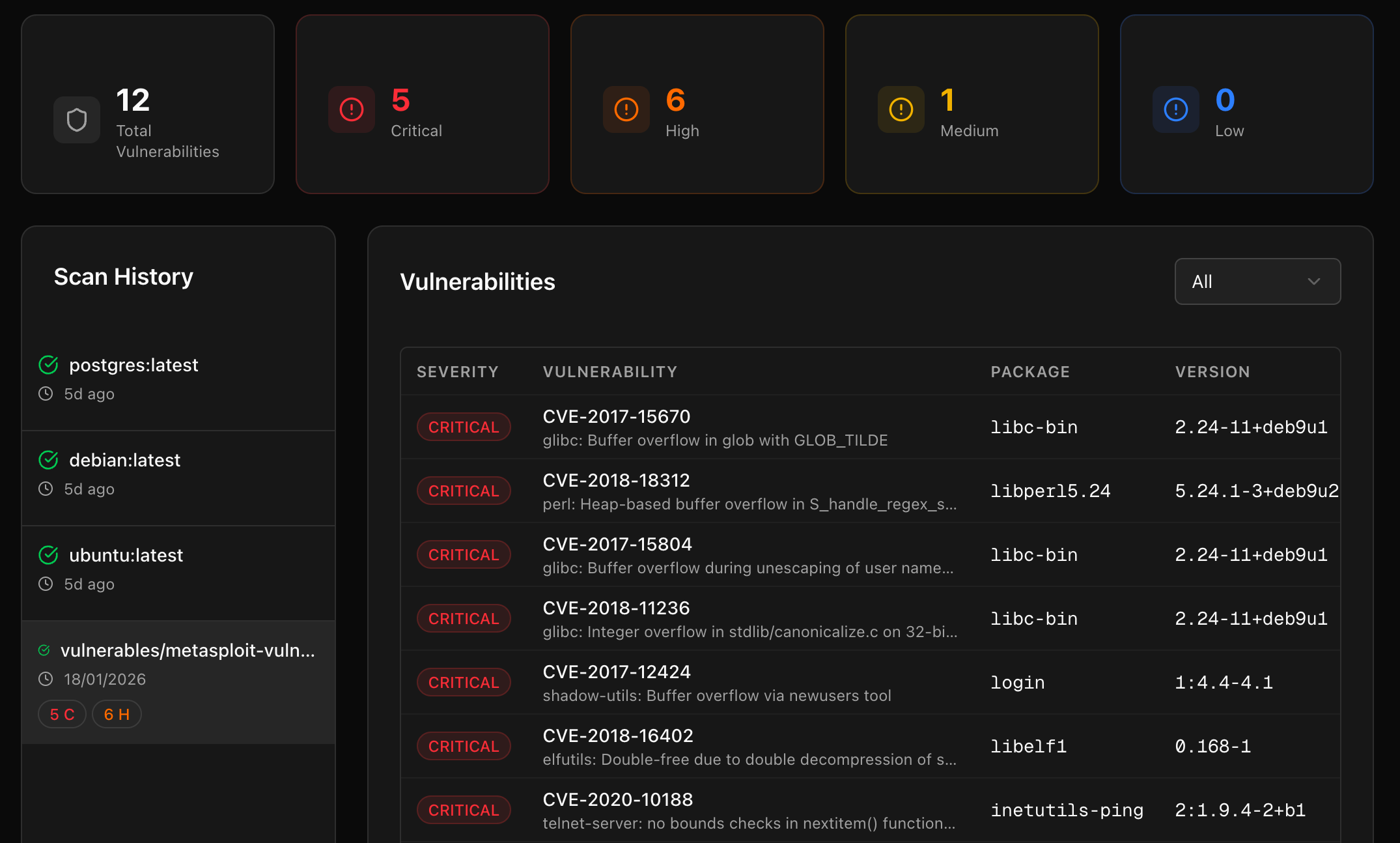
After the scan completes, Nulink will display a list of detected vulnerabilities within the container image.
Scan Results Include
- Identified vulnerabilities (CVEs)
- Severity levels
- Affected packages and versions
- Descriptions of each vulnerability
- Recommended remediation or mitigation steps
This allows teams to quickly assess the risk associated with a container image before deployment.
📸 Container vulnerability results
Understanding Container Vulnerabilities
Most findings are mapped to known Common Vulnerabilities and Exposures (CVEs) and include contextual information to help teams understand:
- How the vulnerability is introduced
- Whether it affects runtime security
- What actions can be taken to reduce risk
This makes it easier to decide whether to rebuild, update, or replace a container image.
When to Use Container Scanning
Container scanning is especially useful for:
- Evaluating third-party or base images
- Pre-deployment security checks
- CI/CD validation workflows
- Identifying risks in legacy container images
Next Steps
After scanning container images, you may want to:
- Run cloud security scans for deployed workloads
- Perform compliance scans on your cloud environment
- Generate PDF reports to share findings
- Combine container insights with inventory and resource attribution
If you encounter issues or unexpected results, refer to the FAQ & Troubleshooting section.